


Home › Poster Maker
Online Poster Maker for Business Posts
Choose a ready poster image, add your logo and contact details, and download it to post on social media or send on WhatsApp.
What is the CardMaker Poster Maker?
Posting regularly on social media helps customers remember you, but making a new image every day takes time. The CardMaker Poster Maker gives you ready poster images and adds your own logo, name and contact details to them.
You pick an image from the library, choose a frame, and download the finished poster. The Poster Maker is part of your CardMaker account, so you can use it alongside your digital visiting card.
Sample posters
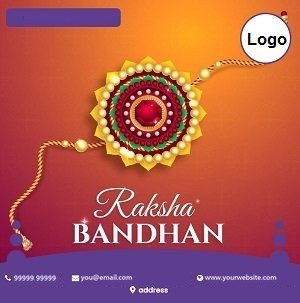
These are sample posters from the library. Every poster has spaces for your logo, company name, phone number, email, website and address.


How to make a poster
Log in and add your details
Open your CardMaker account and fill in your name, contact number, address and website. A company logo is required, between 100 x 100 and 400 x 400 pixels.
Pick an image
Browse the image library or search by name to find a poster that suits your post.
Choose a frame or add a product
Select a frame for your poster, or use a frame with products and upload a picture of your own product or offer.
Download and share
Download the finished poster as an image, then post it on social media or send it on WhatsApp.
What you can use it for
- Daily good morning and motivational posts for your social media pages
- Festival greetings with your business name on them
- Offers, discounts and sale announcements with your product picture
- Launching a new product or service
- Posting regularly without designing a new image from scratch every time
The daily poster maker and image editor are Premium benefits of your CardMaker account. The plans on the home page show what each plan includes. See the plans
Posters for different businesses
Questions people ask
Do I need an account to use the Poster Maker?
Yes. The Poster Maker opens inside your CardMaker account, so you log in first and add your details.
What size should my logo be?
The account page asks for a company logo between 100 x 100 and 400 x 400 pixels.
Can I add my own product to a poster?
Yes. Choose a frame with products and upload a picture of your product.
Which details appear on my poster?
The details you add in your account, such as your company name, contact number, address, website and logo.
Is the Poster Maker free?
The daily poster maker and image editor are Premium benefits. The plans on the home page show what is included.
How is the Poster Maker different from the digital visiting card?
The card is a page people open when they want to contact you. Posters are images you publish to get noticed. They work well together.
More from CardMaker
Ready to get started?
Create a free CardMaker account and set up your card or your first poster today.
CardMaker · Boring Road, Patna, Bihar 800001 · support@cardmaker.in · +91 73670 63161